Free tool · No sign-up
Free invoice generator. Make a professional invoice in 60 seconds.
Add your logo, list your work, and download a clean PDF invoice. It tracks who's paid and who's overdue, too. Free, private, and nothing to install.
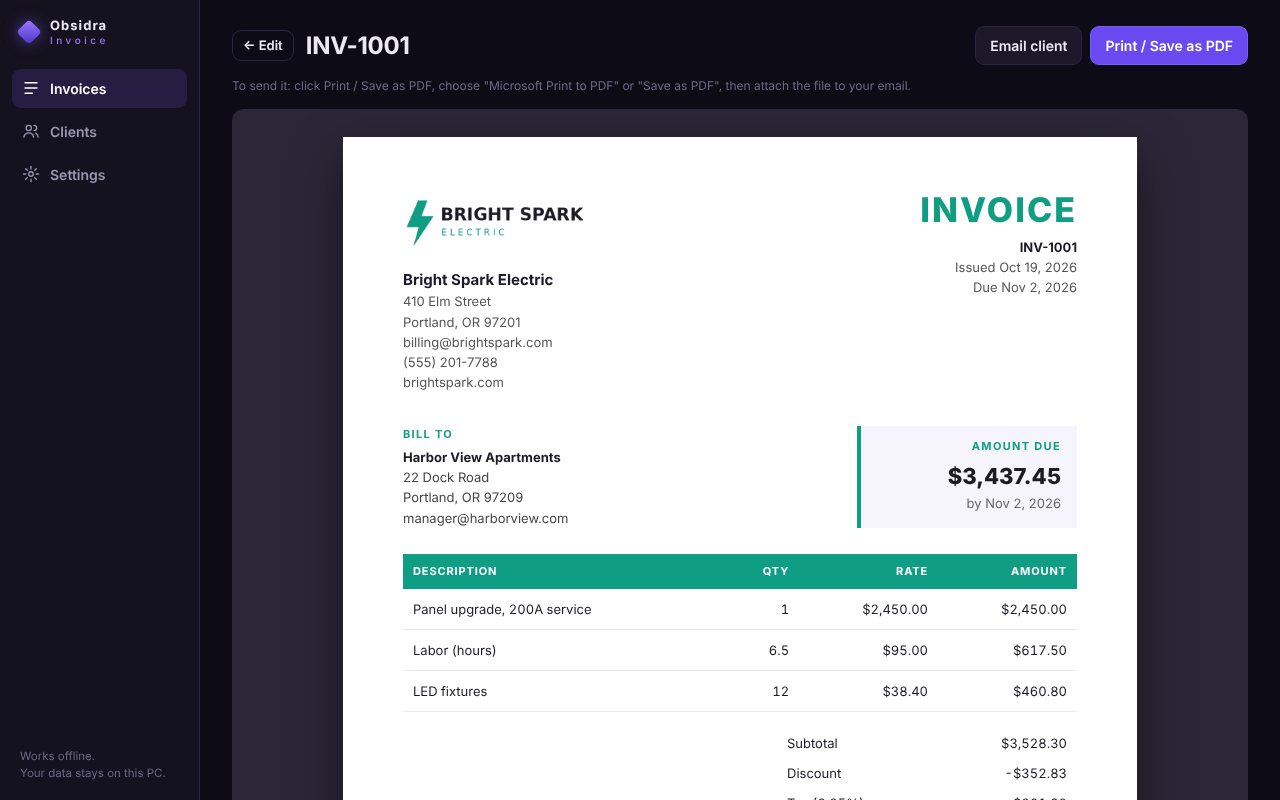
How it works
Three steps. About a minute.
Add your business
Name, logo, address and how you like to get paid. It's saved for every invoice after.
Pick the client, add the work
Type each line with quantity and rate. Discount and tax are worked out as you type.
Save as PDF and email it
Download a clean PDF, attach it, done. Mark it paid when the money lands.
What you get
Everything a small business invoice needs.
Your logo and color
Upload your logo once. Every invoice matches your brand.
Totals done for you
Quantity × rate, discounts and tax, calculated to the cent.
Save as PDF
One click to a clean, professional PDF you can email or print.
Paid, sent, overdue
See what's outstanding and who's late at a glance.
Client list
Save clients once, then pick them in a click next time.
Private and offline
No account. Your invoices stay on your device.
Example
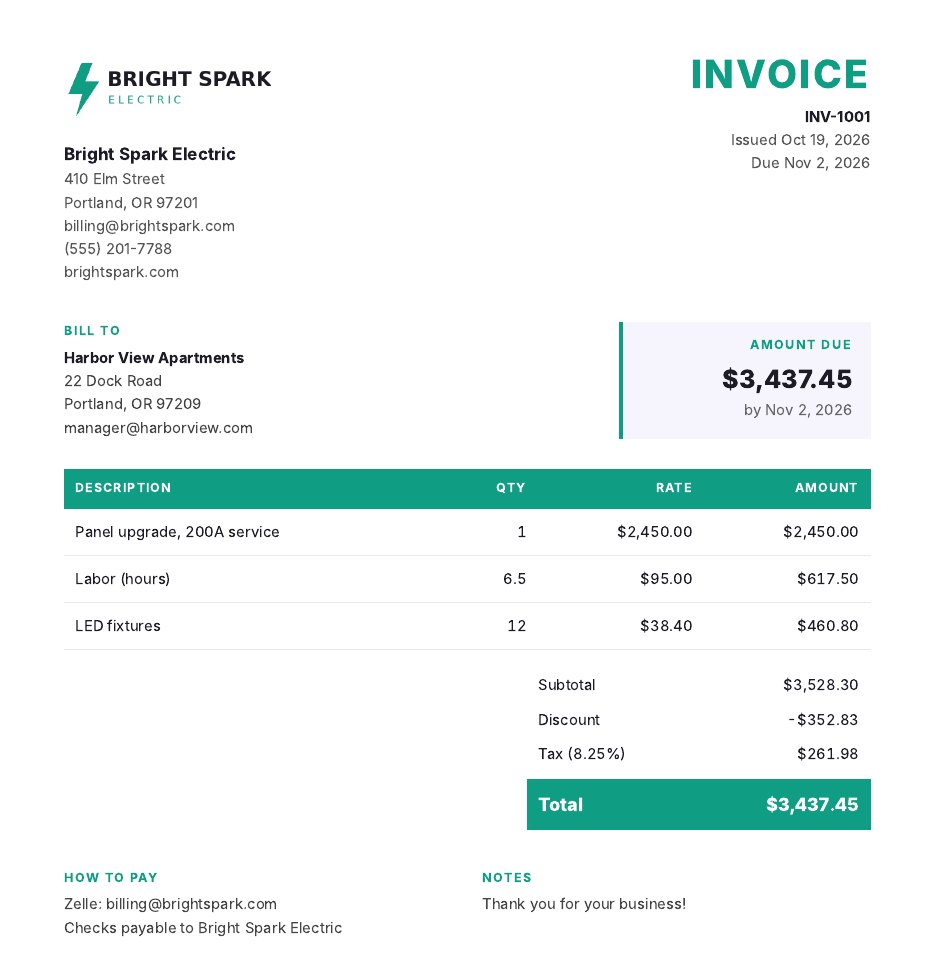
What your client receives
A clean, one-page invoice with your logo, a clear amount due, line items, tax, and how to pay you. No "made with" watermark.
Dashboard
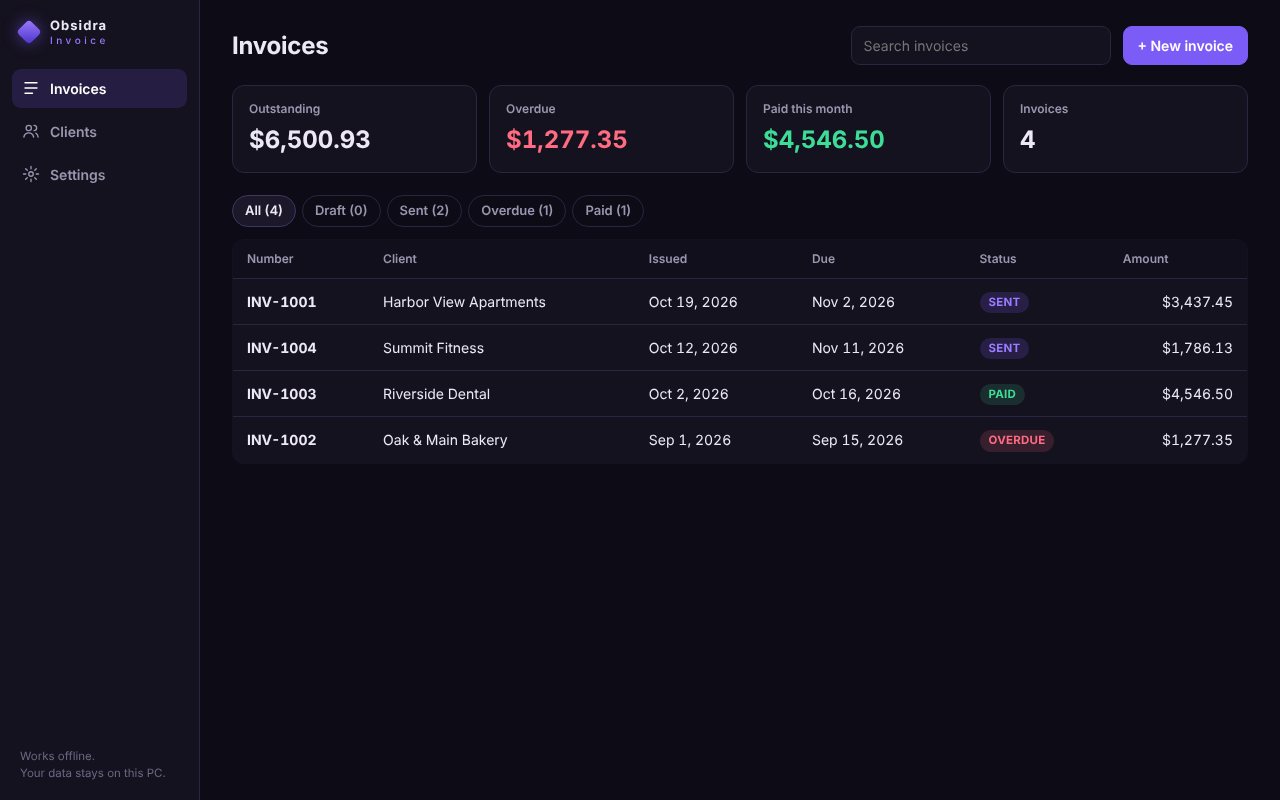
Know who owes you, without a spreadsheet.
Outstanding, overdue and paid this month, right on the front page. Filter by status or search any client.
Tired of chasing payments?
Let the reminders send themselves.
Our Invoice Tracker for Google Sheets watches due dates and emails polite payment reminders from your own Gmail when an invoice goes late. Pay once, keep it forever.
Free tools, first
Get the next free tool in your inbox
We're building more free tools for small businesses: estimates, a late-payment letter writer and a profit calculator. Leave your email and we'll send each one when it's ready, plus Pro launch pricing. No spam, unsubscribe any time.
Questions
Free invoice generator FAQ
Is it really free?
Yes. Make up to 5 invoices free, with no account and no credit card. Unlimited invoices will come with the Pro version on the Microsoft Store.
Do I need to sign up?
No. Open it and start typing. There's no account and no login.
Where are my invoices stored?
Only on your own device, in your browser. We never see them. Use Settings > Backup to save a copy, especially before clearing your browser data.
How do I send the invoice?
Click Preview & PDF, then Print / Save as PDF and choose "Save as PDF". Attach the PDF to an email. The Email client button starts the email for you.
Can I add my logo and tax?
Yes. Add your logo, business details, brand color, tax rate and payment instructions once in Settings, and they appear on every invoice.
Does it work on my phone?
It works best on a computer. It does open on phones and tablets, and it works offline after the first visit.
Can it chase late payments for me?
This free tool makes and tracks invoices. If you want overdue reminders emailed automatically, our Invoice Tracker for Google Sheets does that.